 Fred's ImageMagick Scripts
Copyright © Fred Weinhaus My scripts are available free of charge for non-commercial (non-profit) use, ONLY. For use of my scripts in commercial (for-profit) environments or non-free applications, please contact me (Fred Weinhaus) for licensing arrangements. My email address is fmw at alink dot net. If you: 1) redistribute, 2) incorporate any of these scripts into other free applications or 3) reprogram them in another scripting language, then you must contact me for permission, especially if the result might be used in a commercial or for-profit environment. Usage, whether stated or not in the script, is restricted to the above licensing arrangements. It is also subject, in a subordinate manner, to the ImageMagick license, which can be found at: http://www.imagemagick.org/script/license.php Please read the Pointers For Use on my home page to properly install and customize my scripts. |
|
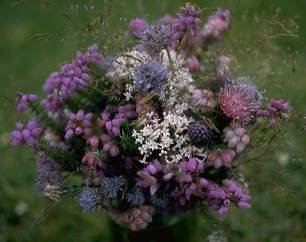
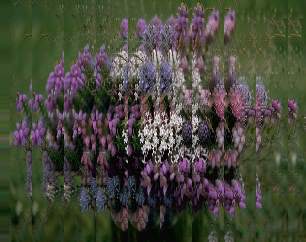
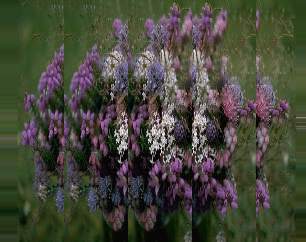
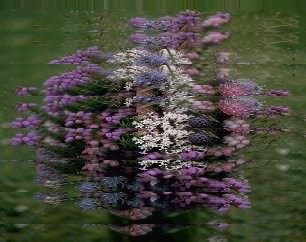
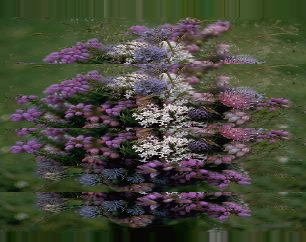
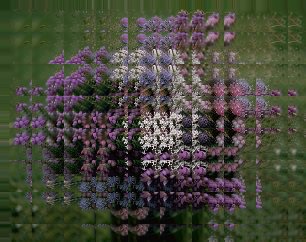
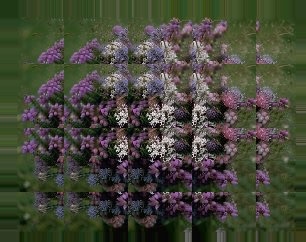
Creates a 'stuttered' offset-like effect in an image. |
last modified: December 15, 2018
|
USAGE: stutter [-s size] [-d direction] infile outfile
-s .... size ......... stutter offset size; size>0; default=16 PURPOSE: To create a "stuttered" offset-like effect in an image. DESCRIPTION: STUTTER creates a "stuttered" offset-like effect in an image. ARGUMENTS: -s size ... SIZE is the stutter offset size. Values are greater than 0. The default is 16. -d direction ... DIRECTION is the stutter offset direction. Values may be horizontal specified as either x, h or horizontal; vertical specified as y, v or vertical or both specified as xy, hv or both. The default=x. CAVEAT: No guarantee that this script will work on all platforms, nor that trapping of inconsistent parameters is complete and foolproof. Use At Your Own Risk. |
|
Image Stutter |
|
|
Original |
|
|
|
|
Arguments: |
Arguments: |
|
|
|
Arguments: |
Arguments: |
|
|
|
Arguments: |
Arguments: |
|
|
|
What the script does is as follows:
This is equivalent to the following IM commands for stutter in the horizontal direction.
|